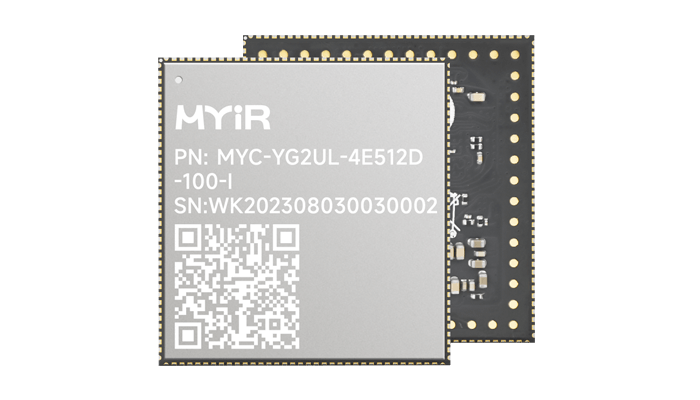
基于Remi Pi的EtherCAT主站控制器方案

2024-06-25

8773

来源:米尔电子
EtherCAT是由德国BECKHOFF自动化公司于2003年提出的实时工业以太网技术。它具有高速和高数据有效率的特点,支持多种设备连接拓扑结构。其从站节点使用专用的控制芯片,主站使用标准的以太网控制器。
无论是工业4.0还是物联网,都需要设备和服务端之间具备高度联网和强大的通信能力。EtherCAT是一类比较成熟的工业以太网现场总线,专用于运动控制领域。相比传统的工业现场总线,EtherCAT具有高稳定性、高实时性、高集成度、扩展性强、便于安装等诸多优点,突破了传统以太网方案的系统限制被广泛应用于工业控制领域。
基于Remi Pi的主站控制器,软件部分通过内核打Preempt_RT实时补丁和移植EtherCAT开源主站软件IGH,可实现更智能化的EtherCAT主站控制。

基于Remi Pi的主站控制器
1. RT-Linux实时补丁
从RT官网获取L5.10.83内核版本对应的补丁,链接如下:
https://cdn.kernel.org/pub/linux/kernel/projects/rt/5.10/older/
把补丁包解压到自己的工作目录下。
PC:~/renesas/04_Sources$ tar -xvf patches-5.10.83-rt58.tar.gz
到内核源码目录下打补丁。
PC:~/renesas/04_Sources/myir-renesas-linux$ for p in `ls -1 ../patches/*.patch`;do patch -p1 < $p;done
修改mys_g2lx_defconfig配置文件
PC:~/renesas/04_Sources/myir-renesas-linux$ vi arch/arm64/configs/mys_g2lx_defconfig
CONFIG_EXPERT=y
CONFIG_ARCH_SUPPORTS_RT=y
#CONFIG_PREEMPT=y
#CONFIG_KVM=y
编译内核源码,更新Image文件即可。
PC:~/renesas/04_Sources/myir-renesas-linux$ source /opt/remi-sdk/environment-setup-aarch64-poky-linux
PC:~/renesas/04_Sources/myir-renesas-linux$ make ARCH=arm64 mys_g2lx_defconfig
PC:~/renesas/04_Sources/myir-renesas-linux$ make ARCH=arm64 Image dtbs -j16
2. IGH Ethercat 主站
到官网下载1.5版本的Ethercat源码,链接如下:
https://gitlab.com/etherlab.org/ethercat/-/tree/stable-1.5?ref_type=heads
把Ethercat源码包解压到自己的工作目录下。
PC:~/renesas/04_Sources$ tar -xvf ethercat-stable-1.5.tar.bz2
PC:~/renesas/04_Sources$ cd ethercat-stable-1.5
加载环境变量。
PC:~/renesas/04_Sources/ethercat-stable-1.5$ source /opt/remi-sdk/environment-setup-aarch64-poky-linux
生成configure文件。
PC:~/renesas/04_Sources/ethercat-stable-1.5$ ./bootstrap
configure设置。
PC:~/renesas/04_Sources/ethercat-stable-1.5$ mkdir output
PC:~/renesas/04_Sources/ethercat-stable-1.5$ ./configure --prefix=/home/renesas/04_Sources/ethercat-stable-1.5/output --with-linux-dir=/home/renesas/04_Sources/myir-renesas-linux --enable-8139too=no --enable-generic=yes --host=aarch64-poky-linux
编译和安装。
PC:~/renesas/04_Sources/ethercat-stable-1.5$ make
PC:~/renesas/04_Sources/ethercat-stable-1.5$ make modules
PC:~/renesas/04_Sources/ethercat-stable-1.5$ make install
编译和安装完成后,生成的ec_generic.ko驱动文件位于devices目录,ec_master.ko驱动文件位于master目录,生成的库相关文件位于output目录。
PC:~/renesas/04_Sources/ethercat-stable-1.5$ ls devices/en_genric.ko
devices/ec_generic.ko
PC:~/renesas/04_Sources/ethercat-stable-1.5$ master/ec_master.ko
devices/ec_master.ko
PC:~/renesas/04_Sources/ethercat-stable-1.5$ ls output/
bin etc include lib sbin share
将上面output目录下的相关文件和ec_master.ko拷贝到开发板如下目录:
root@myir-remi-1g:~/output# ls
bin etc include lib modules sbin share
root@myir-remi-1g:~/output# cp bin/ethercat /bin/
root@myir-remi-1g:~/output# cp etc/ethercat.conf /etc/
root@myir-remi-1g:~/output# cp etc/init.d/* /etc/init.d
root@myir-remi-1g:~/output# cp -r etc/sysconfig/ /etc/
root@myir-remi-1g:~/output# cp lib/libethercat.* /lib64/
root@myir-remi-1g:~/output# cp -r lib/pkgconfig /lib64/
root@myir-remi-1g:~/output# cp modules/ec_master.ko /lib/modules/5.10.83-cip1-rt58-yocto-standard/
root@myir-remi-1g:~/output# cp sbin/ethercatctl /sbin/
启动Ethercat。
root@myir-remi-1g:~# depmod
root@myir-remi-1g:~# modprobe ec_master main_devices=1E:ED:19:27:1A:B3
root@myir-remi-1g:~# /etc/init.d/ethercat start
Starting EtherCAT master 1.5.2 done

附件:Remi Pi实时系统与Ethercat IGH移植.PDF